
The Texting Platform Built for Pickleball Clubs.
Every member and guest conversation, answered from the club number they already know.
Voxie gives Picklr clubs 1:1 texting, an AI-assisted inbox your team always reviews, and corporate-built audiences you can message in minutes.
Training Starts Here
Everything your club team needs to run Voxie, on demand. Start with the platform overview, then dig into the feature walkthroughs below.
Core Voxie features at a glance
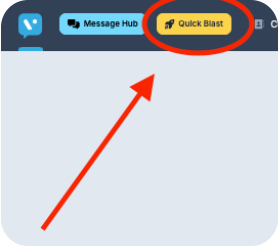
Quick Blast for 1-to-Many Campaigns
Quick blast messages and marketing campaigns deliver timely, targeted communications that drive engagement and action in bulk.
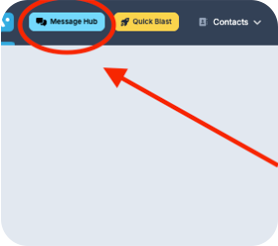
Message Hub for 1-to-1 texting
Message Hub streamlines texting inbox management by providing a centralized, highly visible platform to efficiently track, organize, and respond to customer conversations.
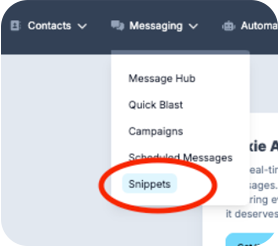
Templates (Snippets)
Snippets are message templates that enable you to quickly craft impactful texting messages that save time and ensure consistency.
Message Hub
Message Hub is your club's home for 1:1 texting. Members and guests message your club's text-enabled phone number — the same number they already call — and your team replies from one shared inbox.
Your club's own number
Your club's existing phone number is text-enabled, so members and guests text the number they already know — no short codes, no new digits to save.
One shared inbox
Every conversation lands in Message Hub with its full history, so anyone on the team can pick up a thread without missing context.
Reply from anywhere
Answer from the Voxie dashboard, the mobile app, or the Chrome extension — the conversation stays in one place either way.
Sample conversation, for illustration.
Intelligent Inbox
Intelligent Inbox is configured and live for your club. Incoming messages are automatically sorted into five categories, and Voxie drafts a suggested reply for each one so your team can respond in seconds.
Booking and Scheduling
Programs and Coaching
Membership and Billing
Service Issue or Complaint
General
A human always reviews first
Every AI-drafted reply is reviewed by a member of your club team before it goes out. Nothing sends automatically — the draft is a starting point, never the final word.
The AI never claims an action was taken
Drafts confirm that the request is in and the club team is on it. Only your staff can actually book, cancel, or refund anything in the system — and the AI never says otherwise.
Audiences, Handed to You
The HubSpot + Voxie app connects corporate's HubSpot account to your club's Voxie, so the right audience is already waiting when it's time to send.
- 1
Corporate builds the audience
Segments and audiences are built in HubSpot at the corporate level — by program, member type, season, or whatever the campaign needs.
- 2
It's shared down to your club
The shared audience appears in your club's Voxie account, ready to use. No exporting, no importing, no list building.
- 3
Pick it and Quick Blast
Choose the shared audience, write your message, and send your Quick Blast — done.
Crafting a Great Marketing Message
Crafting a great texting marketing message involves being concise, engaging, and action-oriented while providing value to your audience.
A successful message grabs attention quickly, speaks directly to the recipient, and encourages immediate action with a clear call-to-action (CTA). Personalization and timing are also key factors in creating a message that resonates and drives results.
Top Tips for Great Texting Marketing Messages
Keep It Short and Sweet
Don't make your customers dig for the offer or the core message. One to two sentences is best with plenty of spacing.
Personalize Your Message
Include the recipient's name or tailor the content to their interests or behavior.
Use a Strong CTA
Link to your book now page so the reader can immediately take action.
Create a Sense of Urgency
Encourage quick action with time-sensitive offers or limited availability.
Adhere to Safe Sending Hours
Legal safe sending hours are 8AM to 8PM but we recommend 9AM to 7PM just to be safe.
Mind Your Message Frequency
We recommend 1-4 Quick Blasts per month for the highest engagement and conversion - enough to stay top of mind without overwhelming your guests.
Good Message Example
Why it's good:
- Personalized with [First Name].
- Specific, valuable offer (Saturday's intro program).
- Creates gentle urgency with limited spots.
- Includes a clear call-to-action with a link.
Ineffective Message Example
Why it's bad:
- Generic and lacks personalization.
- No clear value for the reader.
- Too vague ("come back" with no specifics).
- Misses an opportunity for a direct link or clear action.
Mobile App for iOS & Android
Stay connected with your customers anywhere. Send messages, respond to conversations, and manage your campaigns from your phone with the Voxie mobile app.

Message Hub Chrome Extension
Start a conversation with any phone number in your browser. Send pre-built snippets to customers, reply to incoming messages, and more to streamline conversations.
Read our help center article →Contact and Support
We're here to help!
For any technical issues or support inquiries, please reach out to our support team at support@voxie.com. We're excited to partner with you.
When logged into the Voxie platform, click the question mark icon in the lower-right corner to start a live chat with our support team for the fastest assistance.